Brad Burnie SEO BRINGS YOU LEADS.
What is Brad Burnie SEO ?
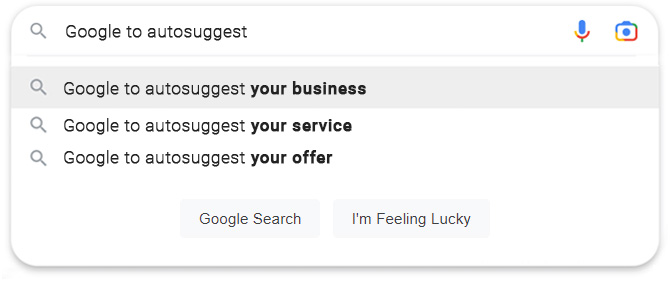
With Brad Burnie SEO, you can appear in the suggestions when people search on Google, YouTube, and Bing. This means your business pops up first for customers, skipping past your competitors. If you want a big edge over others in your field, discover the right keywords and dominate with Brad Burnie SEO.
Google says that about 71% of the searches use the auto-complete.
That's where you will be.












































We can get you results.
Thinking outside the box.
Businesses invest a lot in SEO and Pay-Per-Click ads. With us, you'll show up first on Google, YouTube, and Bing's auto-complete, making sure your customers find you before anyone else.
Keys to Success
Your company will be the only one appearing at the top of the auto-complete list for your customers. When they pick your company from the list, they skip past your competition, giving you control of the entire first page.
Take a look at the video for more insights.
Cost Effective
Save money on costly pay-per-click campaigns and SEO efforts. With us, you'll dominate the entire first page of search results.
Competitive Edge
Whenever someone searches for the keyword phrase you select, they'll spot you first, ahead of any competition.
Exclusivity
Choose a keyword phrase, and you'll be the sole company listed for it. We guarantee that we never sell the same keyword phrase to more than one company.
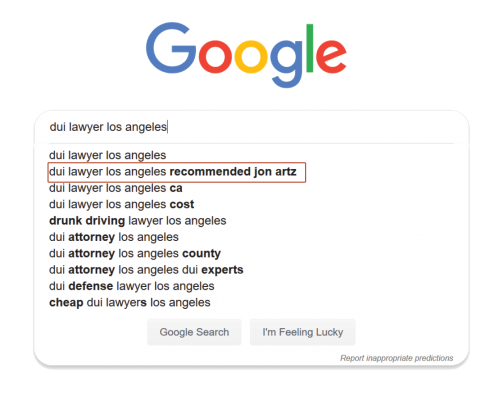
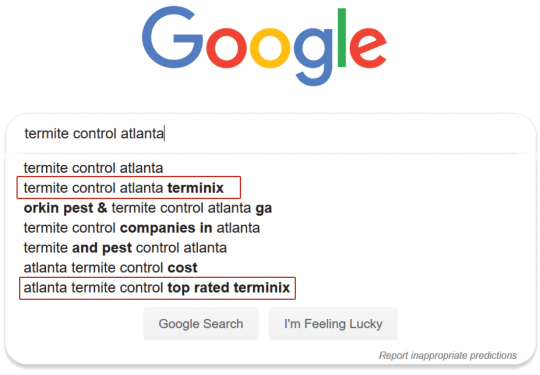
Act fast because if a keyword phrase is taken by your competition, it's gone.
-
Pick the best keyword phrases that your customers type to find you.
-
Every time someone types in the keyword phrase in Google, YouTube & Bing, they will see you.
-
Save money on your pay-per-click campaign by having customers find you directly.
-
Boost your online authority by having customers search for you by name
-
Fast process. You can be getting new customers in 45 days or less with our Autocomplete-Optimization program.
Get more customers.
Affordable and effective.
Be in front of your customers on every search.
This marketing platform is one-of-a-kind, setting you apart from your competitors. Be the very first company your customers find when they search for your product or service.
-
Gain new customers and bypass your competition.
-
Be in front of every customer looking for you in Google, YouTube & Bing.
-
Affordable programs to meet your budget needs.
-
Support and monthly reporting.
-
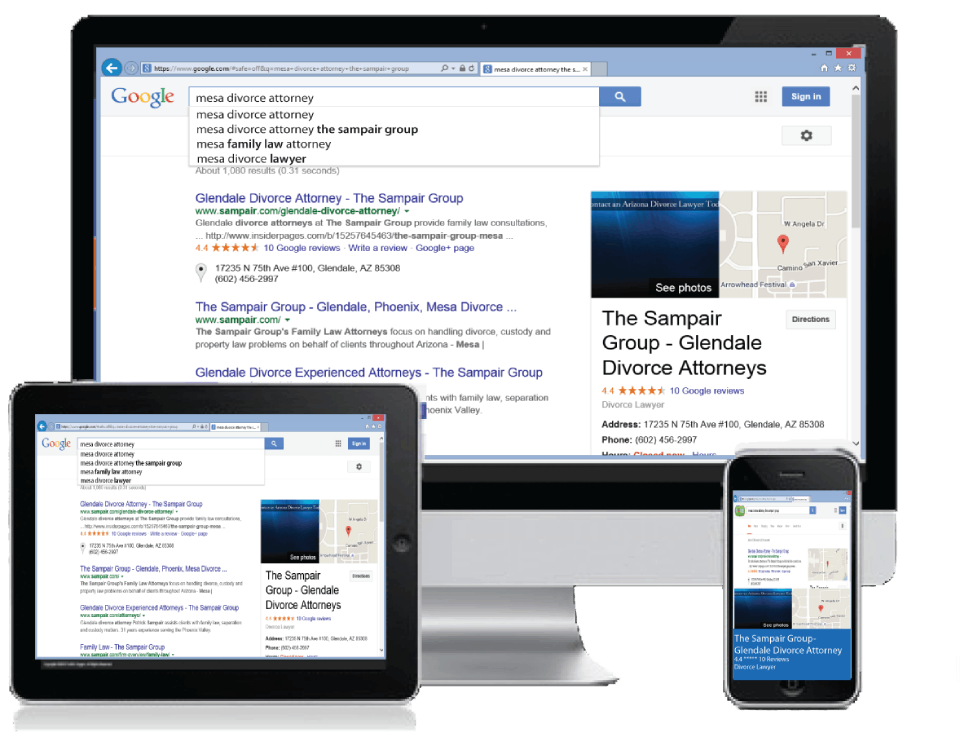
Shows on all computer platforms and mobile devices.
One the first page of search results
We work to make the entire first page of search results show only your company. Exclusive exposure!
Unique Technology
Our technology gives you the competitive edge, and nobody else is providing this technology like we do.
Simple Process
The process is easy. Choose the keywords phrases that bring you customers, and we take care of the rest.
Works worldwide
You may only be interested in customers in your city, but anyone who types in your keyword phrase will see you, anywhere in the world.
Mobile Device Ready
Our technology works on all mobile devices, so your customers can find on any their computer, tablet or phone.
Cost Effective
We make it affordable to get a competitive edge over your competition.
Getting started is easy.
We've designed this program to be straightforward and budget-friendly so that everyone can benefit from this technology and attract more customers. Your chosen keyword phrase is exclusively yours; we never sell it to anyone else. Once you buy a keyword phrase, it belongs to you, and your competitors won't be able to access it.
Still not convinced?
Question: Do I need to keep paying while we wait for our business to appear in auto-complete?
Answer: No, once you've made your initial payment, you won't need to make another until one of your chosen keywords appears in auto-complete.
Question: Will my business show up on mobile searches?
Answer: Yes, your business will appear on any device when searched on Google, YouTube, and Bing.
Question: How long does it take for our company to appear in auto-complete?
Answer: Typically, you'll start seeing your company in Bing within 45-60 days, on YouTube, and in Google within 100-180 days.


Local and national
We have marketing programs for local and national companies.
Local Marketing Program
If you're a local company aiming to outshine your competition, our local Autocomplete-Optimization program is here to assist you. Put yourself ahead of the pack by targeting people actively seeking your services in your area. We'll work with you to identify the most effective keyword phrases that your local customers are using to find businesses like yours.
National Marketing Program
If your company operates nationally or sells services to clients across the country, our national Autocomplete-Optimization marketing program can be your ticket to reaching thousands of potential customers monthly. Let us collaborate with you to tailor a marketing strategy that drives new business your way.
We can get you results.
Exclusive Support
We'll provide regular reports to keep you informed about the progress of your campaign. Whenever your chosen keyword appears on Google, YouTube, or Bing, we'll notify you, giving you the opportunity to prepare for new customers.
Simple Process
We've simplified it for you. Just tell us which keyword phrases are most commonly used by people to find you online, and we'll ensure your company is prominently displayed in front of all those potential customers.
What They Say

We saw the results. When our customers search for adoption services in Canada, our name shows in the auto-suggest, and customers are using this to find us. The Autocomplete-Optimization program works great.
- Mr. Brown
Canada Adoption
